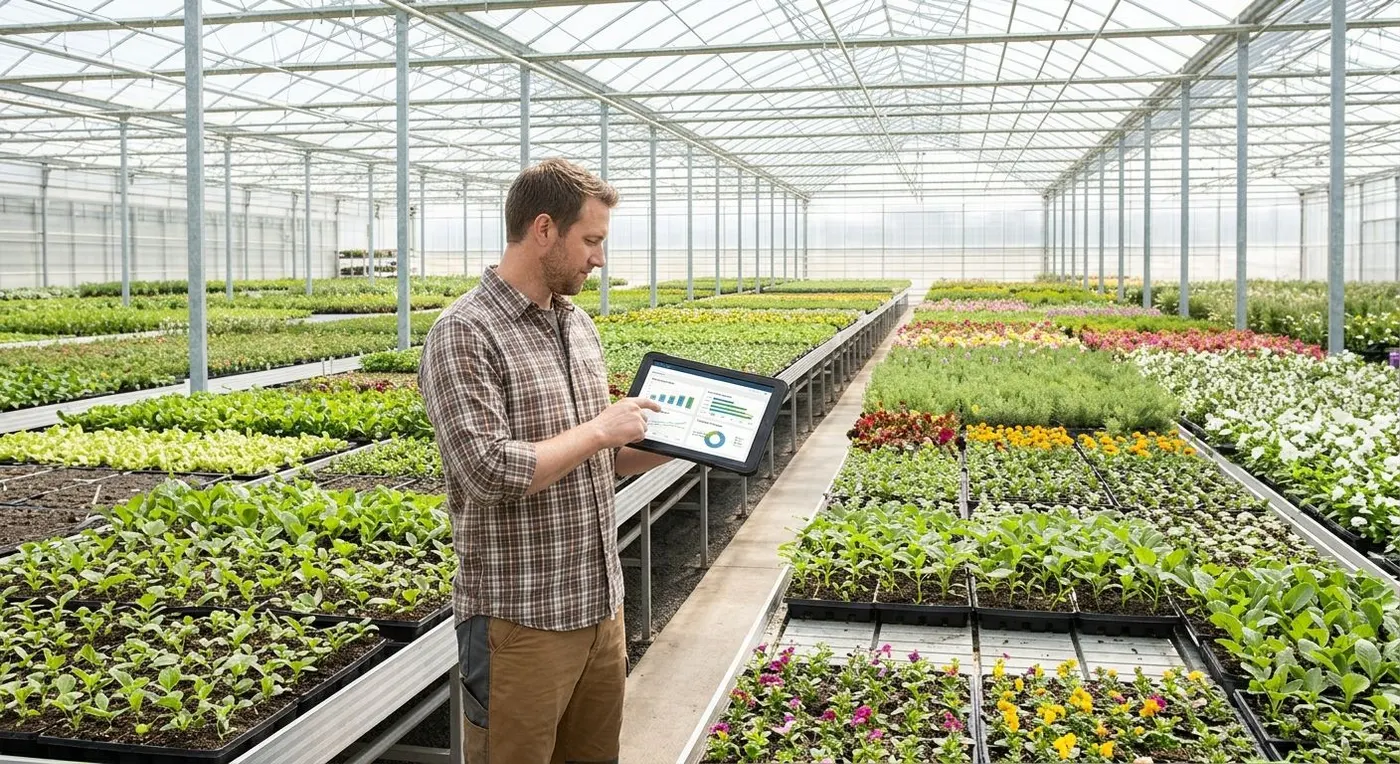
A nursery's inventory is alive, dated and changing: a batch moves through stages, loses plants, goes on hold and becomes available in a specific week. ECOM connects forecasting, crop scheduling, growing operations, purchasing, plant inventory, traceability and finance, either as a complete PRISM-ERP deployment or alongside the ERP you already run.
Conceptual diagram, not a product screenshot. Forecasts, bookings, supplier deliveries and growing records flow into crop schedules, batch inventory and costing, which publish ready-to-sell weeks, availability and crop margin.
Overview
What is nursery ERP?
A nursery ERP manages the business around living inventory: demand forecasts and bookings, crop schedules from propagation to finished plants, greenhouse and field capacity, work orders and labor, purchasing of plant material and supplies, batch-level inventory with available-to-promise, quality and traceability, and crop-level costing that feeds accounting.
Sound familiar?
Why planning and inventory break down
These are the patterns that make nursery planning and inventory feel like guesswork, season after season.
Schedules live in spreadsheets
What you see. Crop schedules, space and ready-to-sell dates are kept in files that sales cannot see and finance cannot cost.
What it costs. Promises made on dates nobody checked, and every change in plan becomes manual rework.
Counts drift from reality
What you see. Plants are lost to disease, weather or damage, and counts are adjusted late and without a reason.
What it costs. Overstated availability, unexplained shrink and short shipments.
Space and labor collide at peak
What you see. Benches, houses, yards and crews are planned separately, so transplanting and spacing compete for the same week.
What it costs. Late transplanting, crowded crops and overtime at the worst moment.
Costs arrive months late
What you see. Material, labor, overhead and freight are allocated at year end from accounting totals.
What it costs. Pricing decisions made on averages and crops that lose money without anyone seeing it.
Traceability is a scramble
What you see. Answering a customer's claim means searching paper records, tags and several files for a batch's source, treatments and shipments.
What it costs. Slow claim handling, uncertain credits and no clean answer when a customer asks where a plant came from.
What the operation needs
Eight areas of nursery planning and operations
ECOM covers these areas as modules of a full ERP or as connected systems. In PRISM-ERP they work with the ERP's item, batch, location and customer records. With an integrated ERP, ECOM connects them to the records your ERP holds.
01
Forecasting and demand planning
Forecast by season, store and channel using POS sell-through, promotions and customer bookings, and test scenarios before committing space and money.
Seasonal demand curves by week
Store, region and channel demand
POS sell-through history
Promotions and holiday peaks
Preseason bookings and customer programs
Weather inputs
Shrink allowances by crop
Production and space capacity limits
Scenario planning for demand, capacity and shrink
Forecast versus actual review
Forecast linked to the crop plan
Planning by size and container
02
Crop production planning and scheduling
Convert the forecast into dated production steps that respect space, labor and the weeks each crop must be ready, and re-plan when reality changes.
Propagation, sowing and cuttings
Plugs and liners, bought or grown
Transplanting and potting dates
Spacing and re-spacing
Finishing and ready-to-sell weeks
Successive plantings to spread supply
Overwintering and dormant stock
Contract growers and their schedules
Rescheduling with downstream impact
Crop timelines by variety and container size
Holiday and event windows
Stock plants and propagation blocks
03
Growing operations
Know where each crop is, what work is due and what was applied, from the house or yard to the field.
Greenhouse, bench and field capacity
Crop locations and moves
Work orders
Crews and assignments
Labor and time capture
Crop-care tasks such as watering, feeding, pruning and spacing
Scouting and inspections
Treatment and application records
Irrigation and fertilizer records
Equipment maintenance
Environmental-system integration
04
Product information
One complete record for every plant, used by catalogs, labels, retailers and the website. Product information can be managed in PRISM SmartPim.
Varieties
Botanical and common names
Sizes, containers and units
Assortments and mixed packs
Photos and care information
UPCs and GTIN validation
Retailer item cross-references
Customer and channel pricing
Labels and pot tags
Branded and retailer tags
Licensed and trademarked varieties
Royalty rules
05
Purchasing
Buy against the crop plan, receive against the order and see shortages before they delay a crop.
Plant material: seed, cuttings, liners, plugs
Pots, trays and media
Labels, tags and supplies
Supplier commitments and blanket orders
Receipts against purchase orders
Shortages and late deliveries
Substitutions
Quality checks at receipt
Cost and landed cost
Supplier performance
06
Plant inventory and availability
Batches carry stage, quality and location, and availability is calculated for the weeks ahead, not only for today.
Batches and lots
Developmental stages
Quality grades and holds
Losses with reasons
Cycle counts
Transfers between locations and sites
Reservations
Current availability
Future availability by week
Available-to-promise
Individually tagged trees and shrubs
Multisite inventory
07
Quality and traceability
Follow a batch from source to every destination, with the checks and holds recorded along the way.
Source-to-destination batch history
Inspections
Holds and releases
Certificates where applicable
Customer claims and credits
Recalls and withdrawals
Corrective actions
Photographs attached to records
08
Finance and profitability
Attach the cost of growing to the crop, and carry orders through to cash.
Accounting and general ledger
Purchasing and payables
Receivables
Crop and work-in-process costing
Overhead allocation
Royalties
Freight
Inventory valuation
Cash flow
Profitability by crop, customer, store and channel
Payroll integration
Worked example
From forecast to crop margin: one crop, step by step
This example shows how the planning chain connects, from the forecast to expected losses, ready week, available-to-promise and margin. The numbers are hypothetical and chosen to show the arithmetic.
Illustrative example: hypothetical numbers, not customer results or benchmarks
From forecast to crop margin: one crop, step by step
Step
Result
How it is worked out
1. Forecast
12,000 potted 4-inch annuals for week 17
Preseason bookings of 7,200 plus 4,800 forecast from store and channel sell-through.
2. Expected losses
6% allowance from propagation to finish
A planning assumption taken from the crop's history, not a promise.
3. Production plan
Start 12,800 plugs in week 6; transplant in week 10
12,000 ÷ (1 − 0.06) = 12,766, rounded up to 12,800 to suit tray counts.
4. Expected ready week
Week 17: 12,032 finished plants
12,800 × 0.94 = 12,032.
5. Available-to-promise
4,532 plants for week 17
12,032 expected − 7,200 booked − 300 on quality hold.
6. Crop cost
$1.17 per finished plant ($14,080 in total)
Per started plant: plug $0.20, pot and media $0.34, labor $0.26, crop-care materials $0.10, space and overhead $0.20 = $1.10. × 12,800 = $14,080, ÷ 12,032 finished.
Figures are rounded to the cent. In practice the loss allowance, costs and prices come from your own history and records. As actual losses, holds and bookings are recorded, available-to-promise and margin are recalculated, and ready-to-sell weeks stay forecasts that you can revise.
Batch changes
Splits, merges, transplanting and container changes
Living inventory does not stay one lot. Where the ERP supports it, a batch keeps its source, cost and history as it changes.
Splits
One batch becomes two or more, for example when a house is divided between customers or locations, when part of a lot is held for quality, or when a crop is finished in different containers. Each child batch inherits the parent's source and history and a share of its cost.
Merges
Batches of the same variety, stage and grade can be combined, for example two plug lots transplanted together. The merged batch keeps references to its sources, so traceability and cost still trace back.
Transplanting
Moving a batch from a plug tray to pots records the new container, the quantity transplanted and any loss at the step. Cost carries forward, the step's labor and materials are added, and the ready-to-sell week is updated.
Container changes
When plants move from a 72-cell tray to a 4-inch pot, or from a 1-gallon to a 3-gallon container, the item, unit and conversion change with them. Inventory, availability and pricing then follow the new container.
These workflows apply where the ERP in use supports them. In PRISM-ERP they are set up for your crops. With an existing ERP, ECOM connects what that ERP records.
Deployment
Full PRISM-ERP deployment or your existing ERP
Both paths are supported. They differ in where the nursery workflows run and how data moves.
Full PRISM-ERP deployment or your existing ERP
Aspect
Full PRISM-ERP deployment
Integrating your existing ERP
Where crop and batch work happens
In PRISM-ERP, set up for your crops.
In your ERP, as far as it supports batches and stages. ECOM connects what it exposes.
System of record
PRISM-ERP.
Your ERP for the data it owns, and ECOM products for the data they manage.
How data moves
Within PRISM-ERP's own records.
Through API, EDI or file exchange, mapped for each interface.
Update timing
Follows the ERP's own processing.
Event-based or scheduled, as each system allows. Systems are connected, not merged, and not every update is instant.
Typical starting point
Replacing spreadsheets or an ERP that no longer fits.
Keeping a working ERP and adding planning, inventory or ordering around it.
Nursery scenarios
How it works in practice
Typical situations, written from the way nurseries operate rather than from any one customer or implementation.
A spring cold snap
The situation. Three crops finish a week later than planned, and bookings for all three were confirmed against the original dates.
How ECOM helps. The grower reschedules the batches, ready-to-sell weeks and future availability update, and bookings that depend on those batches are flagged for review.
What you gain. Customer service contacts customers with a new date before they ask, and substitutions are chosen on purpose.
A contract grower delivers late
The situation. A contract grower's liners arrive two weeks late, and the planned transplanting window is gone.
How ECOM helps. The receipt updates the batch, the transplanting and finishing dates move, and the effect on space, labor and promised weeks is visible in one place.
What you gain. The business decides whether to re-plan, substitute or tell the customer, with the facts in front of it.
A claim arrives on a pallet of shrubs
The situation. A retailer reports poor quality on a delivery and asks where the plants came from.
How ECOM helps. The batch history shows the source, inspections, treatments and holds, the shipment that carried it and the photographs on record.
What you gain. The claim is answered from records, and the credit is decided on facts.
ECOM building blocks
ECOM products used for nursery planning and operations
Whether ECOM provides the ERP or connects yours, these are the building blocks used for planning and operations.
ECOM's full ERP solution, with modules for accounting and finance, sales, procurement, inventory, quality management, assets, maintenance, projects, and HR and payroll. Crop, batch and growing workflows are set up for your nursery.
Product information, product photos and multi-location cloud inventory in one item record. Supports up to 200 product attributes and 20 photos per item.
If you keep your ERP, ECOM connects it to the planning, inventory, ordering and delivery pieces, using 38+ ERP connectors.
Good to know
Scope and boundaries
How ECOM implements this
In discovery, ECOM maps your crops, containers, locations and systems, then confirms which workflows run in PRISM-ERP and which stay in your ERP, what each interface exchanges and how often, and the order of work around your season.
Weather and biology are not controlled
Weather inputs and growth models inform plans but do not fix ready-to-sell dates, which remain forecasts you can revise. Environmental and irrigation integration depends on the data each system exposes.
Regulatory records
Treatment, inspection and certificate records support your compliance work. ECOM does not provide legal advice or certify compliance.
Procure-to-payPurchase orders, receipts, invoices and payments.
FAQs
Frequently asked questions
What does a nursery ERP do that a general ERP does not?
A general ERP counts stock-keeping units. A nursery ERP counts living batches that change stage and size, schedules production by week against space and labor, promises plants for future weeks and attaches the cost of growing to each crop. ECOM provides these workflows inside PRISM-ERP or alongside the ERP you run.
Can the system forecast demand by store and channel?
Forecasts can use seasonal history, store and channel demand, POS sell-through, promotions, customer bookings and shrink allowances, with scenario planning to compare plans. The data sources and planning method are agreed in discovery.
How are available-to-promise quantities calculated?
Availability is based on batches, their developmental stage, quality holds, reservations, expected losses and the week each batch is expected to be ready. Sales, portals and the website that use the figure see the same quantity, so a quantity promised in one channel reduces what the others can promise. Where your ERP is integrated, the figure reaches other systems at the interval the integration is set to.
Can batches be split, merged or moved to a different container?
Where the ERP supports it, yes. A batch can be split into child batches, merged with another batch of the same variety, stage and grade, transplanted from a plug tray to a pot, or moved to a larger container, with the new quantity, losses at the step, cost and history carried along. With an existing ERP, support depends on how that ERP records batches.
What is the difference between a full PRISM-ERP deployment and integrating our ERP?
In a full deployment, PRISM-ERP is your system of record and its modules work with the same ERP records. With integration, your ERP stays in place and ECOM connects planning, inventory, ordering and delivery to it. Data then moves through the interfaces each system provides, event-based or on a schedule, so connected systems are not one database and not every update is instant.
Can ECOM connect to our greenhouse climate and irrigation systems?
ECOM can integrate with environmental and irrigation systems to bring in the data they expose, such as readings and event logs. What is possible depends on each system.
Does it support licensed varieties and royalties?
Variety records can hold license terms, branded tag requirements and royalty rules. Royalties can be accrued against the units the agreement covers, at the point it specifies, such as shipment or sale.
Can we track individual trees and shrubs?
Batches can be broken down to individually tagged plants where the business needs it, for example specimen trees sold by size and location. How much detail to track is decided per crop.
How does traceability support a claim or a recall?
Each batch carries its source, treatments, inspections, holds, movements and shipments, so you can see which customers received it and what was recorded. The same history supports claims and withdrawals; the decisions and notifications remain yours.
Plan your nursery ERP or integration
Tell us how you plan and count today, which ERP you run and where the numbers fall apart. We will show you what to consolidate and what to connect.