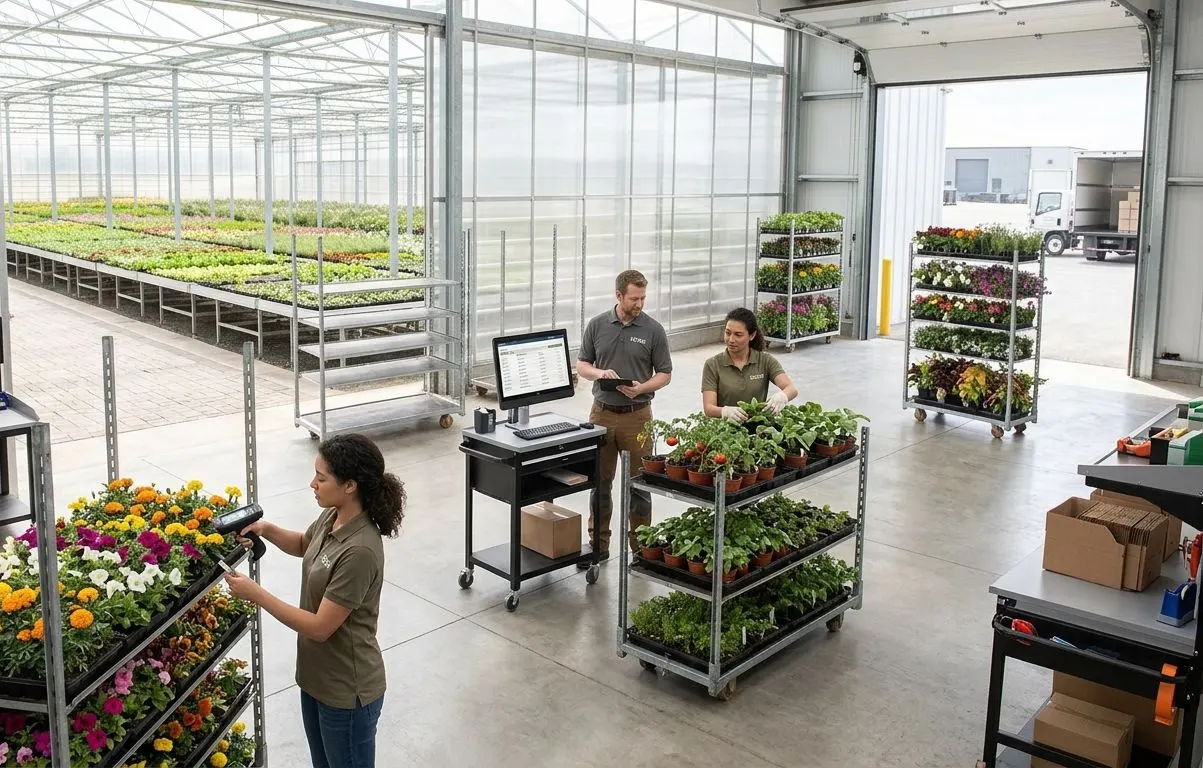
Pull, build, load and deliver with scans at every step
A nursery warehouse is a yard, a house or a cooler where plants are pulled from many locations, graded, built into racks and carts and delivered to stores. ECOM connects receiving, scan-verified picking, cart building, loading checks, driver mobile and the tracking of reusable racks and carts to the order and inventory records the office uses.
Orders, pick waves, crop locations and route plans drive scan-verified pulling, cart building and loading, which produce labels, delivery paperwork and route reconciliation.
Overview
What is nursery warehouse management?
Nursery warehouse management covers how living inventory physically moves: receiving purchased plants and supplies, pulling crops from houses, yards and fields, grading and packing them, building racks and carts for each store or customer, verifying what goes on the truck and delivering it with proof. It also tracks the reusable racks, carts and containers that travel with the plants.
Sound familiar?
Where nursery fulfillment goes wrong
Plants are heavy, perishable and picked from scattered locations, so errors are costly to fix later.
Crops are pulled from memory
What you see. Pickers know where the plants are, and new staff do not.
What it costs. Slow picks, wrong sizes and varieties on the cart.
Carts are built from printed lists
What you see. The list changes after it is printed, and the cart cannot be checked against it.
What it costs. Shorted stores and overages that are only seen at the store.
Loading is trusted, not verified
What you see. Nobody confirms what is on the truck against the route.
What it costs. Missing carts, wrong stores and arguments about what was loaded.
Delivery paperwork comes back unusable
What you see. Signed paper arrives wet or late and is retyped.
What it costs. Invoices wait for delivery documents and disputes cannot be answered.
Racks and carts disappear
What you see. Reusable assets are returned, left or lost without a record.
What it costs. Replacement costs and unexplained shortages in the next season.
What the operation needs
Three areas from yard to doorstep
Warehouse, driver mobile and logistics share the order and inventory records, so what is picked is what is delivered.
01
Warehouse and shipping (WMS)
Move plants from their location to the truck, with scans proving each step and labels and documents produced from the order.
Receiving and putaway of plant material and supplies
Crop pulling from houses, yards and fields
Scan-verified picking
Picking waves by route, customer or ship date
Grading and quality checks at pick
Packing
Staging by route or customer
Rack and cart building
Loading verification
Pot, shelf and branded labels
Shipping documents and packing lists
Multisite and multi-location operation
02
Driver and direct store delivery mobile
Give drivers the route, the truck inventory and the paperwork in one mobile application that works offline.
Coordinate carriers and fleets, and keep track of every rack, cart and container that goes out.
Fleet and carrier coordination
Appointments
Load planning
Delivery status
Freight costs allocated to orders and customers
Rack, cart and container tracking
Returns
Losses
Repairs and retirement
How scanning works
Quantity-based scanning for trays, carts and racks
Plants are counted by the tray, pot or pack and tracked by the container they travel in. Nobody has to scan every plant.
Pull
The picker scans the crop location and the tray or pack label, then confirms or enters the quantity pulled. The system compares it with the pick line and flags a short or over pull.
Build
Each cart or rack has its own label. Scanning a tray and then the cart assigns that quantity of that item to the cart and the order, and the cart label then stands for everything on it.
Verify and load
Loading scans cart and rack labels against the route, so the truck is checked by container instead of by plant. A missing or extra cart is flagged before the truck leaves.
Where individual scans apply
Individually tagged plants, such as specimen trees or licensed varieties with their own tags, can be scanned one by one. Everything else is handled by quantity.
Quantity scanning trades per-plant proof for speed. Counts at pull and build are as accurate as the quantities confirmed, and spot counts and store-side adjustments catch the rest.
At the store
Substitutions, refusals, extra stock and empty racks
Deliveries rarely match the order exactly. The driver records what actually happened, and inventory and documents follow.
Substitutions, refusals, extra stock and empty racks
Event
What the driver records
Inventory update
Document update
Substitution
The store accepts a different size or variety in place of the ordered item. Quantities for both are entered.
Truck stock of the substitute falls. The ordered item stays on the truck and returns to inventory at the end of the route.
The delivery document shows the original line short and the substitute line delivered, priced by your substitution rules.
Refusal
The store refuses plants as damaged or unwanted. Quantity, reason and a photograph are recorded.
Refused plants stay on the truck and are received back at the end of the route, then restocked, held or written off as a loss with the reason.
The delivered quantity and the invoice are reduced, and a return or credit record carries the reason and the photograph.
Extra truck stock
The driver delivers plants carried above the orders, for example a fast-selling item the store asks to add.
The added quantity comes off truck inventory. Stock that is not sold returns to inventory at the end of the route.
A line is added to the delivery document and the invoice, and the store signs for it.
Empty-rack pickup
The driver collects empty racks or carts and records the quantity by type and store.
The store's rack balance falls and the truck's empty-rack count rises. Racks are received at the yard at the end of the route.
The delivery document shows racks delivered and picked up, and the customer's rack balance is updated.
Changes are saved on the device, work without a signal and update inventory and documents when the device reconnects. How soon they appear in your ERP depends on how it is integrated.
Nursery scenarios
How it works in practice
Typical fulfillment situations in a nursery, not customer stories. Your own routes and rules decide the details.
Building carts for twelve stores
The situation. An order wave covers twelve stores, each with its own assortment and labeling, and several crops are in different houses.
How ECOM helps. Crops are pulled by location, trays are scanned to the cart they belong to with confirmed quantities, and each cart is labeled and staged for its route.
What you gain. A cart that does not match its order is caught before it reaches the truck.
A driver adjusts at the store
The situation. A store refuses some damaged plants and asks for extra of a fast-moving variety.
How ECOM helps. The driver records the refusal with a photograph and adds the extra from truck stock, and the store signs. The changes update the order, truck inventory and invoice, and the refused plants are received back at the end of the route.
What you gain. The invoice matches the delivery, the damage is documented and the truck reconciles.
Racks that do not come back
The situation. Racks from a late-season delivery are not returned, and customers dispute counts.
How ECOM helps. Each delivery and pickup records racks and carts by customer, so balances are known and shortages can be discussed with figures.
What you gain. Fewer disputes, and a basis for replacement and repair decisions.
ECOM building blocks
ECOM products for warehouse and delivery
These products carry the order from the pick through loading, delivery and proof of delivery.
Truck loading, mobile route sales, offline operation, delivery confirmation and document capture, returns and collections, and route and truck reconciliation.
Pre-print validation and label template management for retailer shipping labels.
Good to know
Scope and boundaries
How ECOM implements this
In discovery, ECOM maps your sites, labeling, routes and delivery model, then confirms the scanning steps, document formats, how racks and carts are tracked and how route changes reach your ERP.
Temperature and transit
Plants are sensitive to heat, cold and time in transit. Notes on temperature or transit-time requirements can be recorded against orders and routes; the platform does not control the truck's environment.
Does ECOM provide a warehouse management system for nurseries?
Yes. ECOM's WMS capabilities cover receiving, putaway, crop pulling, scanning, pick waves, grading, packing, staging, rack and cart building, loading verification, labels and shipping documents for your yard, houses and coolers.
Do we have to scan every plant?
No. Plants are scanned by container, not one at a time. A picker scans the location and the tray, pack or cart label and confirms the quantity, and the system compares it with the order. Individual plant scanning applies only where plants carry their own tags, such as specimen trees.
What happens when a store refuses plants, accepts a substitute or adds to the order?
The driver records it at the store. Inventory and documents follow: a substitution shows the ordered item short and the substitute delivered, a refusal reduces the delivered quantity and sends the plants back to be restocked, held or written off with a reason, and an addition from extra truck stock adds a line to the delivery document and invoice. Empty racks picked up reduce the store's rack balance.
Can drivers work without a cellular signal?
PRISM Direct Store Delivery Management supports offline operation for delivery confirmation, document capture and route work, and synchronizes when the device is connected again.
What does a driver capture at a delivery?
A driver can record delivery and pickup adjustments, signatures, photographs and signed paperwork, print documents where the setup includes printing, and reconcile the route at the end of the day.
How are racks and carts tracked?
Reusable racks, carts and containers are recorded against the customer, store and route they travel with, so that returns, losses and repairs are visible. They can be tracked by quantity, for example 12 racks to a store, or as individual assets with their own tags. Many operations track by quantity.
Can the system plan loads and appointments?
Load planning, carrier coordination, appointments, delivery status and freight costs can be handled for deliveries by carrier. Whether your own fleet is planned with ECOM or with another system is decided per operation.
Does it print the labels our retail customers require?
Labels, pot tags and branded or retailer tags are produced from the item and order records. Retailer label requirements, including pre-print validation and label templates, are reviewed during discovery.
Plan your warehouse and delivery workflow
Tell us how you pull, build and load today, whether you run your own trucks and how you track racks and carts.